SpiderPipe - Wechat Pay
Steps to connect Wechat Pay accounts with Paymentwall:
Please contact integration@paymentwall.com to enable Wechat Pay in SpiderPipe.
Create a Wechat Pay business account
In order to set up a Wechat Pay business account, please see setup flow for reference.
Add Wechat Pay account
- Login to Paymentwall merchant dashboard, go to My Accounts, Account Settings
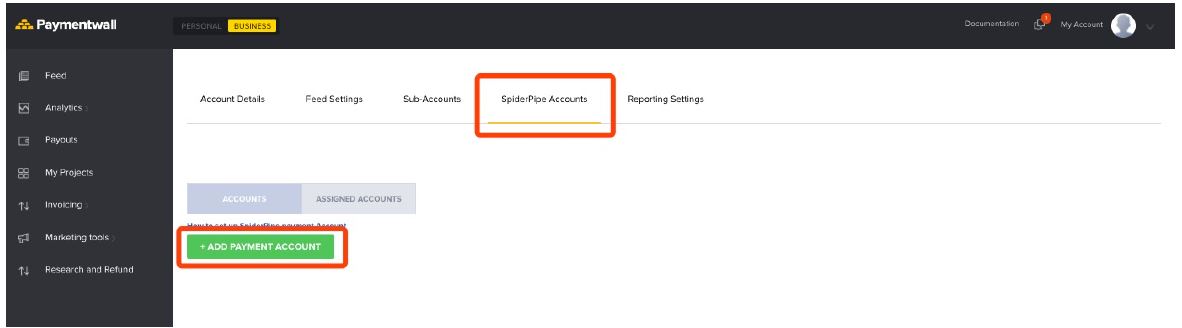
- Click Add Payment Account and choose Wechat Pay from the list
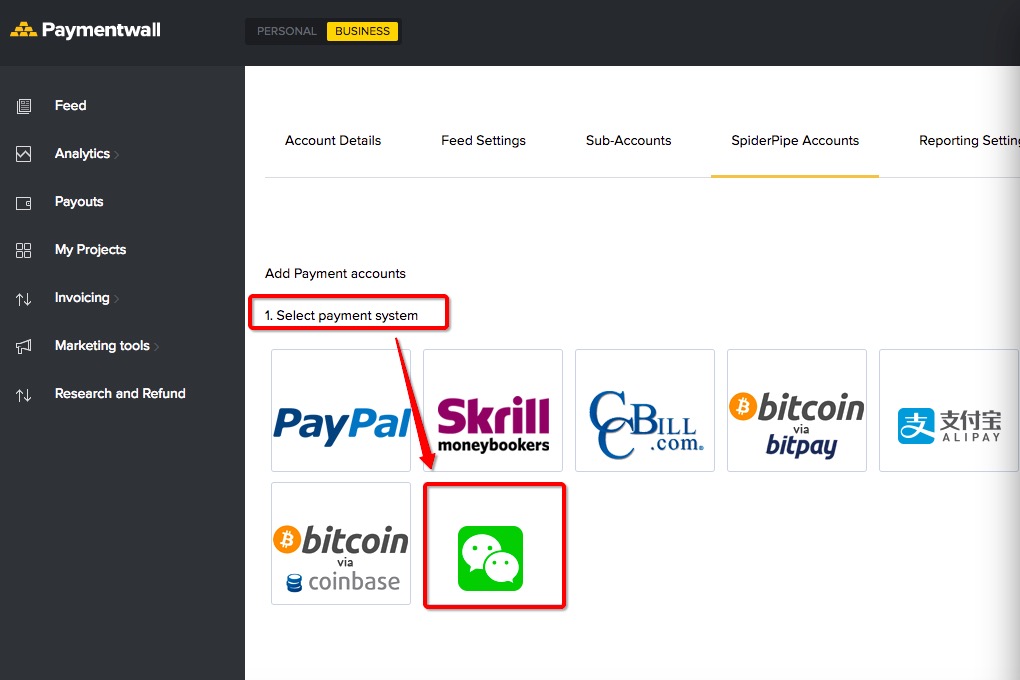
-
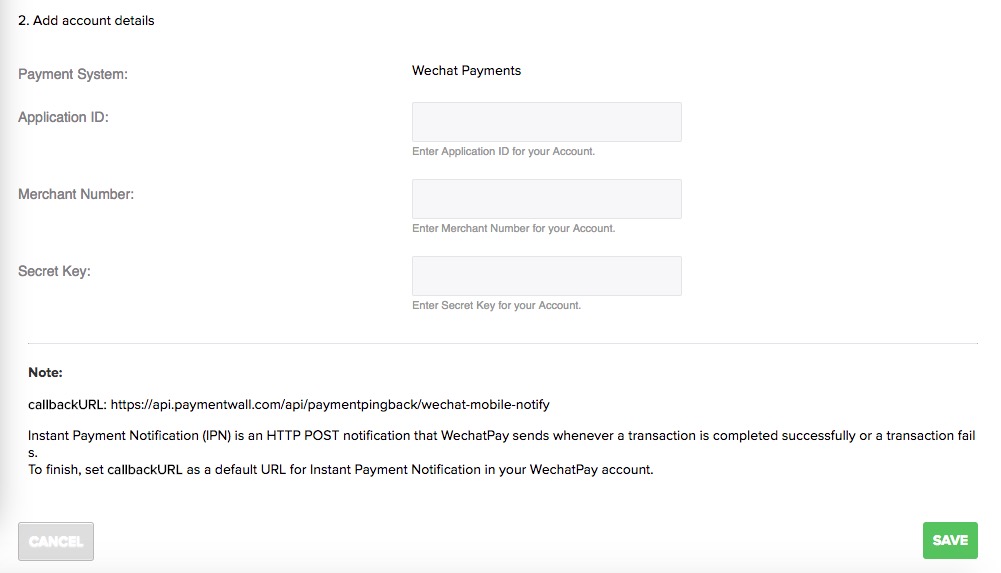
Get your Wechat Pay info in Wechat business platform.
- Application ID
- Merchant number
- Secret key
-
Fill up the form and save.
Questions?
Common questions are covered in the FAQ.
For integration and API questions, feel free to reach out Integration Team via integration@paymentwall.com.
For business support, email us at merchantsupport@paymentwall.com.
To contact sales, email bizdev@paymentwall.com.
To suggest a change to this documentation you can submit a pull request on GitHub.